MIG servers August 31, 2026
You can install the most powerful GPU on the market into a server, load a large language model (LLM), and still experience severe performance bottlenecks.
A dedicated server for AI inference can have a high-end accelerator and still perform poorly because of insufficient VRAM, KV-cache pressure, weak CPU resources, slow storage, or PCIe limitations. A GPU alone does not determine AI inference performance.
AI inference is fundamentally a system-level workload. While the GPU is critically important, your CPU, system RAM, NVMe storage, networking, and interconnects must be perfectly balanced around the specific model and workload you are deploying
What Is AI Inference and Why Does Infrastructure Matter?
AI training is a massive, highly parallel batch process that calculates and adjusts billions of parameters over weeks or months. AI inference—whether it is real-time generative AI, API model serving, or automated batch inference—is the execution phase where that trained model generates responses to live prompts.
Because inference serves active users and applications, its infrastructure characteristics require a completely different architectural approach. In a production inference environment, performance is dictated by:
- Time to First Token (TTFT): How fast the system processes the prompt and returns the very first piece of the answer.
- Inter-Token Latency (ITL): The microsecond delay between each generated token, determining if the text flows smoothly for the end user.
- Tokens Per Second (Throughput): The total volume of output the server can generate across all concurrent users.
- Concurrency: How many independent requests the hardware can handle simultaneously before queue times spike.
Optimizing for these metrics means recognizing that an AI inference server is a complete data pipeline, not just a motherboard holding an expensive graphics card.
- Network: Dictates how fast request payloads (like external context) and final tokens move in and out of the server.
While these four resources dictate your baseline capability, their performance is strictly bound by supporting hardware. Fast NVMe storage, efficient PCIe topology, high-bandwidth GPU interconnects, and robust power and cooling systems are what allow those four core resources to function without thermal throttling or I/O bottlenecks.
CPU Requirements for AI Inference Servers
A GPU-accelerated inference server still depends on the CPU for request processing, tokenization, preprocessing, orchestration, and data movement. It is a very common mistake to over-invest in high-end GPUs while severely bottlenecking the system with an underpowered processor.
Before a prompt ever reaches the GPU, and after the GPU generates a response, the CPU must actively manage the workflow. Its responsibilities in a model-serving infrastructure include:
- Handling incoming API requests and network payloads
- Tokenization (converting raw text to model-readable numbers) and post-processing
- Dynamic request batching and scheduling for the GPU
- Executing Retrieval-Augmented Generation (RAG) pipelines and vector searches
- Managing containers, operating system processes, and local storage operations
How Many CPU Cores Does an AI Inference Server Need?
There is no universal core count for an AI inference server. The actual AI server CPU requirements scale aggressively depending on how the model is used and the surrounding software architecture.
| Workload | CPU Requiremen |
|---|---|
| Small LLM (e.g., 7B-8B models) | Moderate |
| High-concurrency API | High |
| RAG inference pipelines | High |
| Agentic AI workflows | High |
| Multi-GPU inference | Very High |
| Data/preprocessing-heavy workload | Very High |
The CPU-to-GPU Balance:
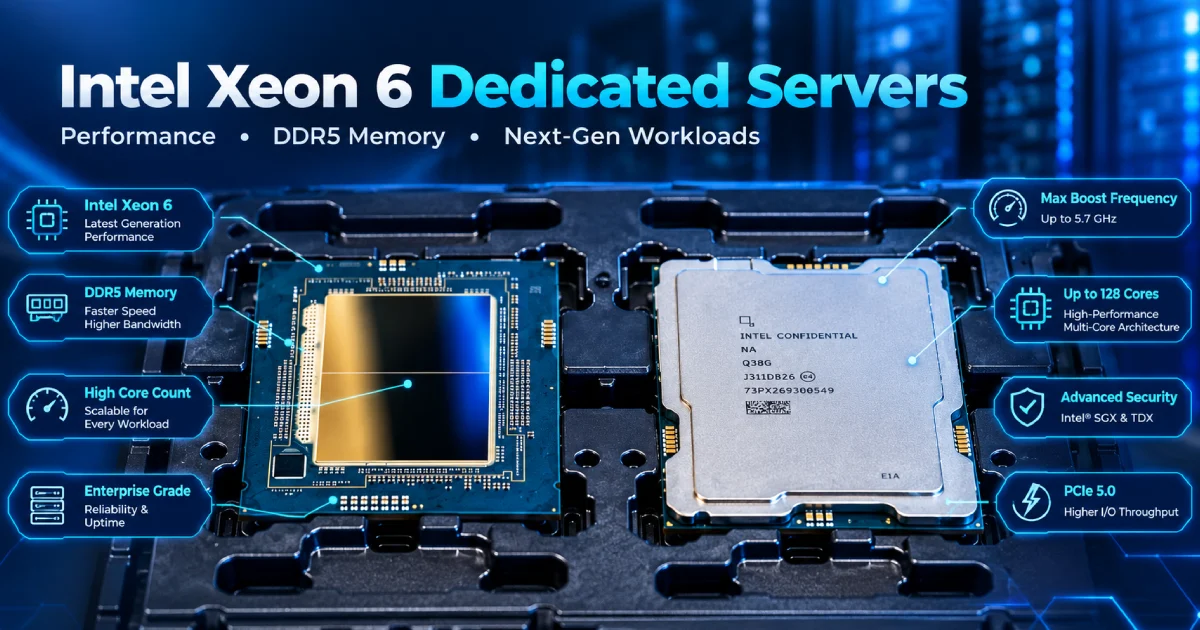
If you pair a powerful GPU—or multiple GPUs—with an underpowered CPU, the processor will struggle to feed data to the accelerators quickly enough. The result is poor GPU utilization, meaning your expensive hardware sits idle waiting for the CPU to finish assembling batches or executing API logic. High-performance inference environments require enterprise-grade processors (such as AMD EPYC or Intel Xeon) not just for their core counts, but to provide the extensive PCIe lanes required to keep modern GPUs saturated.
GPU Requirements for AI Inference
When building a GPU server for AI inference, the most common trap is looking at a specification sheet and choosing a card solely based on teraflops (TFLOPs). Do not select an inference GPU based only on raw compute performance.
To determine if an accelerator can handle your specific AI workload, you must evaluate a complete matrix of features:
- VRAM Capacity: Can it hold the model and the required runtime memory?
- Memory Bandwidth: How fast can it move data during token generation?
- Precision Support: Does it support modern optimization formats like FP8 or INT4 natively?
- Power Consumption: Can the server chassis sustainably cool the GPU under 24/7 inference loads?
- GPU Interconnect & Scalability: Does it support high-speed communication (like NVLink) for multi-GPU setups?
How Much GPU Memory Does AI Inference Need?
To understand your AI inference hardware requirements, you must first calculate the memory required simply to load the model's weights into the GPU. This baseline depends entirely on the precision format (quantization) you choose.
Here is the approximate memory required per parameter based on precision:
| Precision | Approximate Memory per Parameter |
|---|---|
| FP32 (Full Precision) | 4 bytes |
| FP16 / BF16 (Half Precision) | 2 bytes |
| INT8 (Quantized) | 1 byte |
| 4-bit (Highly Quantized) | ~0.5 byte |
However, this is not the complete GPU memory requirement.
If you buy a GPU with exactly enough VRAM to load the model weights, the server will crash with an out-of-memory (OOM) error the moment a user sends a prompt. A production inference environment requires additional VRAM for activations, CUDA/framework memory overhead, continuous batching, and, most importantly, the KV cache.
AI Model Size vs GPU Memory Requirements
To give you a practical starting point, here is how different model sizes scale in baseline weight memory across different precisions:
| Model Size | FP16 / BF16 Weights | INT8 Weights | 4-bit Weights |
|---|---|---|---|
| 7B / 8B | ~14 GB - 16 GB | ~7 GB - 8 GB | ~3.5 GB - 4 GB |
| 13B / 14B | ~26 GB - 28 GB | ~13 GB - 14 GB | ~6.5 GB - 7 GB |
| 32B / 34B | ~64 GB - 68 GB | ~32 GB - 34 GB | ~16 GB - 17 GB |
| 70B / 72B | ~140 GB - 144 GB | ~70 GB - 72 GB | ~35 GB - 36 GB |
Important Sizing Disclaimer: These numbers represent the approximate memory required for the model weights alone. When calculating actual production VRAM for a dedicated GPU server, you must add anywhere from 20% to over 100% additional memory overhead to support the context window and concurrent user traffic.
Why KV Cache Matters for AI Inference
If you want to understand why LLM serving infrastructure crashes under heavy load, you must understand the KV (Key-Value) cache.
In autoregressive models (like Llama, Mistral, or GPT architectures), the GPU generates text one token at a time. To predict the next token accurately, the model needs the mathematical context of all the previous tokens. Instead of recalculating the entire prompt and previous response for every single new word, the inference software stores these calculated states in the GPU's memory. This is the KV cache.
As conversations get longer, or as more users connect simultaneously, the KV cache grows dynamically, consuming massive amounts of VRAM.
Long Context Windows Can Change Your GPU Requirements
To illustrate how the KV cache dictates hardware choices, consider two different deployments running the exact same 8B model:
- Deployment A (Customer Support Chatbot): Short user prompts, minimal conversation history, and low concurrency. This model might comfortably run on a single 24GB or 40GB GPU.
- Deployment B (Agentic AI Workflow): Processing 30,000-token legal documents, maintaining long conversational context, with dozens of concurrent agents. The massive KV cache required for this context length means the same 8B model might now require an 80GB GPU, or even multiple GPUs, just to hold the active memory state.
GPU Memory Capacity vs Memory Bandwidth
When evaluating a GPU inference server, you must clearly separate memory capacity from memory bandwidth.
- Memory Capacity (Size): Determines whether the model, runtime state, and KV cache can physically fit into the accelerator.
- Memory Bandwidth (Speed): Determines how quickly the GPU can move that data to the compute cores during token generation.
Choosing the Right GPU for AI Inference
Because AI workloads vary wildly, building a dedicated AI server requires matching the GPU architecture to the specific deployment rather than just buying the most expensive hardware available. Inference GPUs generally fall into several distinct classes based on their VRAM and compute balance:
Lightweight and Edge Inference: Accelerators like the NVIDIA L4 or comparable low-profile GPUs are highly power-efficient. They are ideal for serving smaller models, audio transcription, image generation, or low-concurrency API workloads where massive memory bandwidth is not the primary bottleneck.
High-Performance / Enterprise Inference: GPUs such as the NVIDIA L40S or RTX PRO-class cards provide a massive leap in compute cores and VRAM (often up to 48GB). These are excellent for medium-sized LLMs, RAG preprocessing pipelines, and heavy batch inference where you need strong tensor performance without the premium cost of HBM (High Bandwidth Memory).
High-Memory AI Infrastructure: When deploying large language models with high user concurrency, memory bandwidth becomes the ultimate bottleneck. This is the domain of the NVIDIA H100 and H200. The H200, for example, offers 141GB of HBM3e memory, allowing incredibly fast data delivery to the compute cores, drastically improving tokens-per-second for autoregressive LLMs.
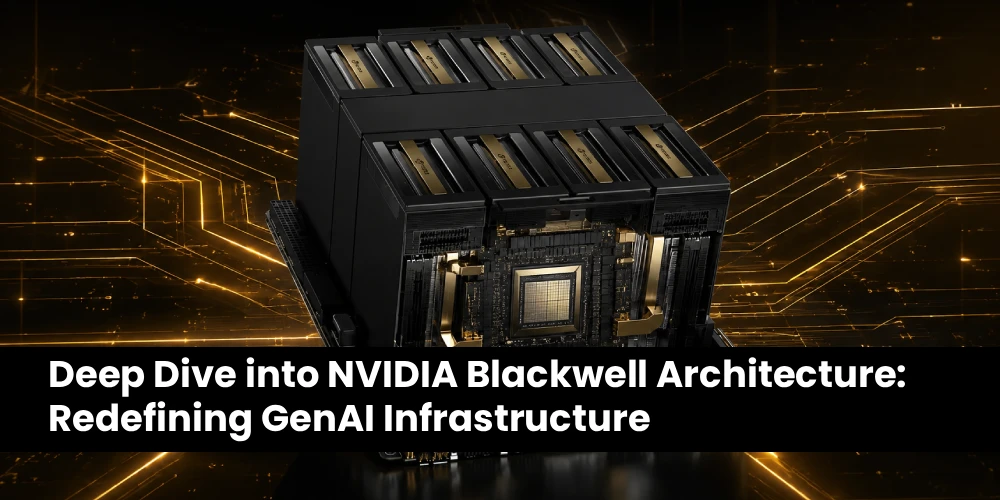
Next-Generation Inference Systems: For massive-scale, enterprise model-serving infrastructure, architectures like NVIDIA Blackwell (and its Ultra variants) or the upcoming Rubin generation are designed specifically to address the exponential growth in LLM parameter sizes and context lengths. These accelerators feature advanced native support for FP4 quantization and second-generation Transformer Engines, allowing massive models to run on fewer GPUs.
When Do You Need Multiple GPUs for AI Inference?
Many production environments eventually outgrow a single accelerator. Transitioning to a multi-GPU AI inference server is typically driven by three strict requirements:
1. The Model Does Not Fit in One GPU
This is a hard hardware limit. For example, a 70B parameter model running in FP16 precision requires roughly 140GB just to load the model weights. An 80GB GPU simply cannot hold this model. You must split the model weights across at least two 80GB GPUs just to get the system to boot, even before accounting for the KV cache
2. Higher Throughput and Concurrency
Even if a model technically fits on a single card, a single GPU can only generate a certain number of tokens per second. If your API scales from 10 concurrent users to 1,000, you will need multiple GPUs. The inference software can route different user requests to different GPUs (data parallelism), dramatically increasing the total throughput of your AI workload infrastructure.
3. Large-Scale Distributed Models
Massive foundation models (such as those approaching or exceeding 400B parameters) require highly distributed inference. These deployments move beyond a single chassis and require clusters of multi-GPU servers working perfectly in sync.
Why GPU Interconnect Matters for Multi-GPU Inference
When you are forced to split an AI model across multiple GPUs, a new hardware bottleneck emerges: how fast those GPUs can talk to each other.
In a multi-GPU inference setup, modern AI software uses techniques like tensor parallelism or pipeline parallelism. This means a single mathematical operation or a single prompt is divided among multiple GPUs simultaneously. To generate just one token, the GPUs must continuously exchange intermediate data.
If your GPUs are connected only through standard PCIe lanes, that data transfer can become a severe choke point. The compute cores will stall, waiting for data to travel across the PCIe bus and through the CPU.
This is why high-speed interconnects like NVIDIA NVLink and NVLink Switches are critical for high-performance multi-GPU servers. NVLink provides dedicated, massive-bandwidth communication lanes directly between the GPUs (often delivering hundreds of gigabytes per second of bandwidth), completely bypassing the PCIe bus. When GPUs need to exchange data continuously to serve a single prompt, communication bandwidth is just as important as compute speed.
How Much System RAM Does an AI Inference Server Need?
When configuring an AI inference server, there is a crucial architectural distinction that must be made clear immediately: System RAM and GPU VRAM are not interchangeable.
Adding 512GB of standard DDR5 system memory to a server will not help you load a massive 70B parameter model if your GPU only has 24GB of VRAM. The model weights required for hardware acceleration must reside in the GPU’s VRAM.
However, system RAM remains a critical resource. Before any model can be loaded into the GPU, it must first be pulled from storage into system RAM. Furthermore, the system memory actively supports the surrounding inference architecture, including:
This is why high-speed interconnects like NVIDIA NVLink and NVLink Switches are critical for high-performance multi-GPU servers. NVLink provides dedicated, massive-bandwidth communication lanes directly between the GPUs (often delivering hundreds of gigabytes per second of bandwidth), completely bypassing the PCIe bus. When GPUs need to exchange data continuously to serve a single prompt, communication bandwidth is just as important as compute speed.
- Model loading and fast switching
- Input preprocessing and output post-processing
- Retrieval-Augmented Generation (RAG) pipelines
- In-memory vector databases
- API request caching
- Container runtimes (Docker, Kubernetes)
- Operating system processes and data pipelines
How to Size System RAM for AI Inference
There is no arbitrary, universal rule for system memory in an AI server. Calculating your AI server RAM requirements depends on the size of the model, your GPU configuration, and the complexity of your RAG architecture or vector databases.
As a general methodology, here are practical deployment ranges:
- Entry-Level (64GB – 128GB): Sufficient for serving single, smaller LLMs (7B-8B class) where the server is dedicated solely to API request routing with minimal local RAG databases.
- Production (128GB – 256GB): The standard starting point for most enterprise deployments. This provides enough overhead to handle medium-to-large models, continuous batching architectures, and concurrent application containers.
- Large Multi-GPU (256GB – 1TB+): Required for multi-node inference, massive models, heavy vector database queries, or instances where multiple models are staged in RAM for rapid swapping into the GPU.
These are deployment ranges, not mandatory minimums. Sizing should always be validated against the actual software stack.
Network Requirements for AI Inference Servers
Not every AI inference server needs a 100Gbps network
While AI training requires massive networking infrastructure to synchronize gradients across thousands of GPUs, your AI server network requirements for inference depend entirely on your specific deployment architecture. Network capacity is dictated by the number of concurrent users, the size of the request payloads (e.g., sending massive documents for context), API architecture, and whether your application requires multi-node GPU coordination.
How Much Network Bandwidth Does AI Inference Need?
To right-size your networking, evaluate your expected throughput. Here is how network considerations scale with different workloads:
| Deployment | Network Consideration |
|---|---|
| Small AI API / Internal Tool | 1Gbps may be sufficient for basic text payloads |
| Production Single-Server Inference | 10Gbps dedicated servers are a strong standard choice |
| High-Concurrency Workloads & Large Payloads | 10Gbps to 25Gbps+ (essential for heavy RAG inputs) |
| Multi-Node Inference | 25Gbps to 100Gbps+ (to sync GPUs across standard networking) |
| Distributed AI Systems | 100Gbps to 200Gbps+ (typically utilizing RDMA/RoCE/InfiniBand) |
Bandwidth vs Latency: What Matters More for AI Inference?
Network performance is fundamentally divided into two metrics:
- Bandwidth: How much data can be transferred at one time.
- Latency: How quickly that communication begins and completes.
For a standalone API server returning text to a user, latency is often more critical than bandwidth, as it directly impacts the Time to First Token (TTFT). However, for agentic workflows passing massive contextual files, or distributed inference clusters where multiple servers must communicate to generate a single token, high bandwidth (100Gbps+) combined with ultra-low latency technologies (like RDMA) becomes an absolute requirement.
How Network Bottlenecks Affect AI Inference
When network capacity is misjudged, the entire system suffers. Symptoms of a network bottleneck include:
- Increased API response latency despite low GPU utilization
- Poor scaling when deploying across multiple servers
- Synchronization delays between distributed nodes
- Inconsistent performance during peak traffic
This reinforces the core thesis: AI inference performance depends on the entire system. A network bottleneck will force a high-end GPU to sit idle.
Why Storage Still Matters for AI Inference
While storage is not actively computing the AI tokens, it is a foundational component of the production inference environment.
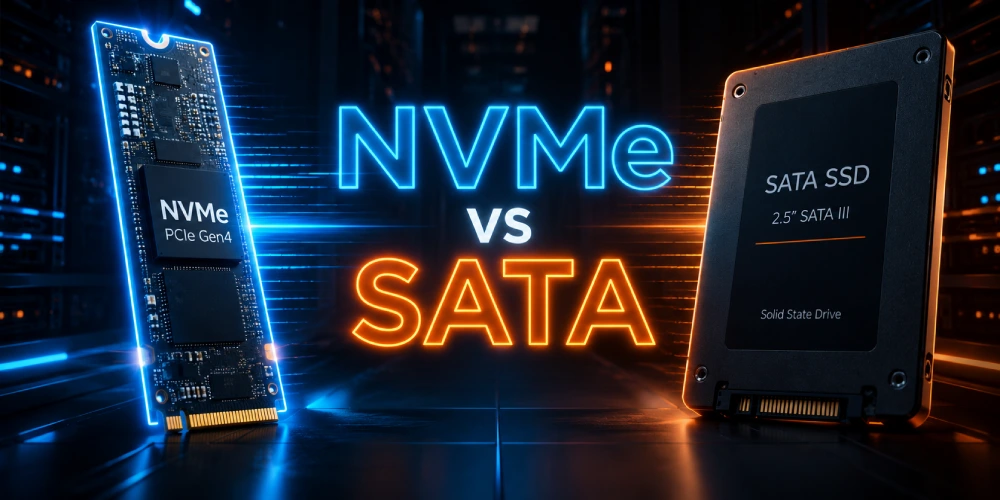
Traditional hard drives (HDDs) or older SATA SSDs will severely cripple an inference server during the initialization phase. When an AI server reboots or switches models, gigabytes (or hundreds of gigabytes) of model weights must be read from the drive. Slow storage turns model loading from a 10-second task into a 10-minute outage.
Furthermore, RAG data, vector databases, container images, checkpoints, and localized caches all rely heavily on fast disk I/O. For this reason, NVMe dedicated servers are the strict standard for modern AI inference. High-speed NVMe storage ensures that local disk reads never become the bottleneck that starves the CPU and system RAM.
Why PCIe Topology Matters in an AI Server
When you assemble CPU, RAM, GPUs, NVMe drives, and high-speed network interface cards (NICs) into a single chassis, they must all communicate. That communication happens across the PCIe (Peripheral Component Interconnect Express) bus.
Understanding PCIe topology is critical when building high-performance dedicated servers. If you place a massive inference workload on a server with poorly routed PCIe lanes, data transfers will bottleneck, regardless of the GPU's raw speed.
You must account for:
- PCIe Generation: PCIe Gen5 offers double the bandwidth of PCIe Gen4, which is crucial for feeding data-hungry GPUs like the H100 or H200.
- PCIe Lanes: Modern CPUs offer a fixed number of PCIe lanes. A multi-GPU system requires dual-socket enterprise CPUs just to provide enough direct electrical lanes to support 4 or 8 GPUs alongside high-speed NICs and NVMe storage without lane sharing.
- Device Placement: In dual-CPU systems, ensuring that a GPU and the specific NIC handling its network traffic are physically connected to the same CPU socket (NUMA node awareness) drastically reduces cross-socket latency.
The core concept is simple: CPU, GPUs, NICs, and NVMe devices must have an appropriate I/O topology to prevent data traffic jams.
Power and Cooling Requirements for AI Inference
Power and cooling are the invisible constraints of bare metal servers running AI workloads. Modern accelerators consume enormous amounts of electricity; a single NVIDIA H100 has a Thermal Design Power (TDP) of up to 700 watts, and next-generation Blackwell architectures push that even higher.
When evaluating AI inference hardware requirements, you must consider:
- PSU Capacity & Redundancy: The power supply units must support the massive combined draw of the CPU, dual/quad GPUs, and motherboard, with N+1 redundancy for production uptime.
- Thermal Throttling: If a server chassis lacks the proper airflow (CFM) or liquid cooling infrastructure to dissipate that heat, the GPU will automatically reduce its clock speeds to prevent physical damage.
A server that performs brilliantly during a short 5-minute benchmark may behave completely differently under sustained, 24/7 inference if its thermal capacity is insufficient. Sustained throughput requires sustained, highly engineered cooling.
The Software Stack Behind an AI Inference Server
Hardware does not execute AI models on its own. The underlying software stack is just as critical to the production inference environment as the physical components.
A standard Linux dedicated server configured for production AI inference typically relies on this descending stack:
- Operating System: Enterprise Linux (Ubuntu, Debian, RHEL)
- Drivers & Compute Platforms: NVIDIA Proprietary Drivers, CUDA Toolkit
- Deep Learning Libraries: cuDNN, PyTorch
- Inference Engines/Runtimes: vLLM, TensorRT, TensorRT-LLM, or TGI
- Containerization: Docker, NVIDIA Container Toolkit, Kubernetes
- Serving Layer: OpenAI-compatible API gateways (like FastAPI wrappers)
How Inference Software Changes Hardware Requirements
The exact same physical hardware can produce vastly different throughput and latency results depending on the software stack you deploy. Modern inference engines use highly advanced techniques to optimize how hardware is utilized:
- Paged Attention: Dynamically manages the KV cache memory, virtually eliminating VRAM fragmentation and allowing the system to serve exponentially more concurrent users.
- Continuous Batching: Processes multiple incoming API requests simultaneously rather than waiting for one prompt to finish, drastically improving GPU utilization.
- Quantization: Software techniques (like GPTQ, AWQ, or FP8 native support) compress model weights, directly reducing the VRAM capacity and memory bandwidth required to run the model.
- Tensor Parallelism: Efficiently splits the matrix math across multiple GPUs.
If your inference software is inefficient, you will constantly feel the need to buy more hardware. Properly optimized software—like vLLM or TensorRT-LLM—maximizes your existing AI GPU server.
Common AI Inference Server Bottlenecks
Even in a well-planned AI inference server, performance choke points can occur. Identifying these bottlenecks quickly is crucial for maintaining throughput.
| Bottleneck | Symptoms | Possible Solution |
|---|---|---|
| GPU VRAM | Out-of-memory (OOM) errors upon load | Add more VRAM, or apply 4-bit/8-bit quantization |
| KV Cache | Memory exhaustion during long conversations | Optimize context limits, deploy Paged Attention (vLLM) |
| CPU | GPU utilization is consistently low (waiting) | Upgrade to stronger enterprise CPUs (higher core/PCIe count) |
| System RAM | System swapping to disk, slow RAG queries | Increase system memory to prevent I/O wait times |
| PCIe | Slow data-transfer rates between CPU and GPU | Ensure Gen4/Gen5 topology without PCIe lane sharing |
| Network | High API latency despite fast token generation | Upgrade to 10Gbps or 25Gbps dedicated networking |
| Storage | Very slow model loading or container startup | Switch from SATA SSDs to high-speed NVMe SSDs |
| Cooling | Performance throttling after sustained use | Ensure proper server chassis thermal design and airflow |
| Multi-GPU | Poor throughput scaling across multiple cards | Utilize high-bandwidth interconnects like NVLink |
7 Common Mistakes When Building an AI Inference Server
- Choosing a GPU based only on compute performance (TFLOPs) instead of balancing compute with memory bandwidth (HBM).
- Ignoring VRAM capacity requirements, leading to immediate out-of-memory errors.
- Forgetting KV-cache requirements, resulting in crashes as soon as concurrent users connect or context windows grow.
- Under-sizing system RAM, crippling the CPU’s ability to preprocess data and manage container runtimes.
- Assuming every AI workload needs 100Gbps networking, overspending on infrastructure when a solid 10Gbps connection is often sufficient for single-server inference.
- Ignoring PCIe and GPU topology, causing severe data traffic jams inside the chassis.
- Buying hardware without benchmarking the actual model and inference software stack first.
How to Size a Dedicated Server for AI Inference
To avoid those mistakes, use this practical 12-step methodology to design your AI server requirements:
- Step 1: Identify the model. (e.g., Llama 3 70B, Mistral 8x22B).
- Step 2: Determine precision. Decide if you will run FP16, BF16, FP8, INT8, or 4-bit quantization.
- Step 3: Estimate model-weight memory. Calculate the baseline VRAM required just to hold the model.
- Step 4: Estimate KV-cache requirements. Factor in extra VRAM overhead.
- Step 5: Determine context length. Establish the maximum token window your application will process.
- Step 6: Determine expected concurrency. Estimate how many simultaneous requests the server must handle.
- Step 7: Set latency and throughput targets. Define your acceptable Time to First Token (TTFT) and tokens per second (TPS).
- Step 8: Select the GPU. Choose the accelerator (e.g., L40S, H100, Blackwell) that meets the VRAM and bandwidth requirements from Steps 3-7.
- Step 9: Balance CPU and RAM. Size the processor and system memory to support the GPU without starving it of data.
- Step 10: Choose NVMe storage. Select high-speed local storage for rapid model loading.
- Step 11: Choose network capacity. Select 1Gbps, 10Gbps, 25Gbps, or 100Gbps+ based on your API and distributed scaling needs.
- Step 12: Benchmark the actual workload. Test the configuration with your specific software stack before scaling up.
Benchmark Before You Buy More Hardware
Before upgrading your AI GPU server, always benchmark your current setup. Do not just buy the most powerful GPU available if the software is the real issue.
Measure the exact metrics that matter for inference:
- Time to First Token (TTFT)
- Tokens per second (TPS) per user and globally
- Requests per second (RPS)
- p95 and p99 latency (to catch worst-case response times)
- GPU, VRAM, CPU, and RAM utilization
- Network throughput
If your GPU utilization is hovering at 40%, buying a faster GPU will not help—you need to fix your CPU, RAM, or software bottlenecks first.
Dedicated AI Inference Server vs Cloud GPU
When deploying AI into production, you must choose between renting cloud GPU instances or deploying a dedicated server for AI inference. Both have distinct advantages depending on the lifecycle of your project.
| Factor | Cloud GPU Instance | Dedicated Server (Bare Metal) |
|---|---|---|
| Hardware Control | Provider-dependent | High (Full root access, custom topology) |
| Resource Predictability | Service-dependent | High (No noisy neighbors) |
| Long-Running Workloads | Can become incredibly expensive | Often highly cost-effective 24/7 |
| Custom Hardware Setup | Limited to pre-packaged instances | Strong (Mix RAM, CPU, NVMe as needed) |
| Networking | Service-dependent (Often metered) | Configurable (Unmetered 10Gbps+ options) |
| Scaling | Rapid and elastic | Hardware-based (Requires provisioning) |
| Management | Provider-managed infrastructure | Customer-controlled |
Cloud GPUs are excellent for prototyping, training, or highly variable workloads that spike randomly. However, for predictable, continuous 24/7 API serving, dedicated infrastructure drastically reduces long-term operational costs.
Why Dedicated Infrastructure Makes Sense for Production AI Inference
When your application graduates from the prototype phase into production, predictable performance and cost control become paramount. This is where MIG servers provide a distinct advantage.
Deploying an AI inference server on bare metal guarantees that 100% of the CPU cores, system RAM, NVMe storage, and PCIe lanes are dedicated entirely to your workload. Whether you need a high-performance NVIDIA H100 dedicated server for a massive LLM, or a balanced multi-GPU setup with 100Gbps unmetered networking for agentic AI workflows, MIG servers delivers the root-access, custom-configured infrastructure required to run optimized, high-throughput inference without the unpredictable billing of public cloud instances.
 Recent Topics for you